If you not actively use Bluetooth you should turn it off. Enable the Bluetooth Icon in the menu bar too, so you can always see, if you have turned it off.
How to fix it
macOS 10.11 – 14
- Go To “System Preferences” > “Bluetooth”
- “Turn Bluetooth off”
If you not actively use Bluetooth you should turn it off. Enable the Bluetooth Icon in the menu bar too, so you can always see, if you have turned it off.
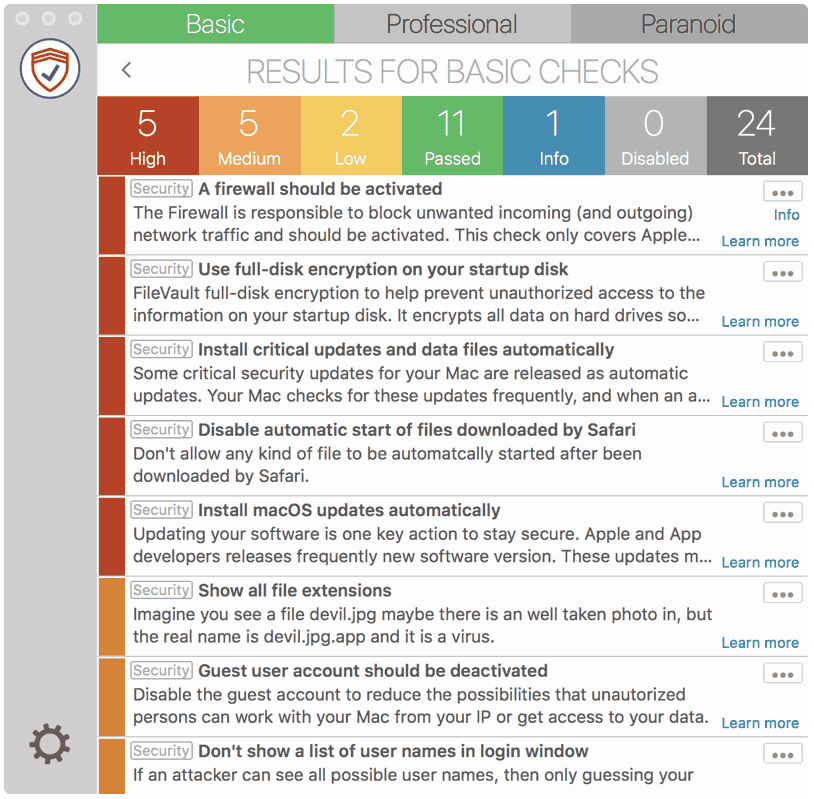
SimpleumCheck checks the security settings on your Mac in three stages and gives you recommendations on how you can improve your security even further.
Explore SimpleumCheckProtect your data with SimpleumSafe App for Mac, iPhone and iPad. Don’t compromise when it comes to protecting your data.
Discover SimpleumSafe
Keep in mind: not every security and privacy setting is suitable for everyone. Enhancing the security can lead in losing functionality and/or comfort.
Before making changes, please backup your Mac! Do not make too many change at once. After changing your Mac, check if your normal usage of your Mac has changed in a way which fits to you. Are your really willing to loose some functionality and/or comfort?
Most important is, that you learn and understand what are the advantages and disadvantages of the security settings and that you are aware about the capabilities and risks of your Mac configuration.
To skip this result message from your next security scan, you can deactivate this check. FAQ: How to deactivate a check.
Check results by SimpleumCheck do not cover all aspects of possible security checks or maybe incorrect or incomplete. The results are only clues for recommendations to improve security and privacy on the Mac.
The use of SimpleumCheck, the checks and FAQ articles are provided under the SimpleumCheck End User License Agreement (EULA).