SimpleumSafe in nursing and geriatric care
Protect care documents.Only within approved processes.
Keep selected handover notes, organisational documents and supplementary reports encrypted on approved Apple devices, with a clear route back into the primary care record.

Keep health data within protected, approved processes
Handover notes, organisational documents, supplementary reports or files for a home visit may contain health data and other confidential information. Mobile access is particularly relevant in community and home care.
SimpleumSafe can add encrypted storage for selected files on approved Apple devices. The responsible organisation or controller must decide whether and how the app may be used within its own data protection and security framework.
Everyday tasks
Store selected files securely
Keep approved organisational documents or supplementary reports together in encrypted storage.
Prepare for visits
Make required files available on an approved device and return them to the intended documentation process afterwards.
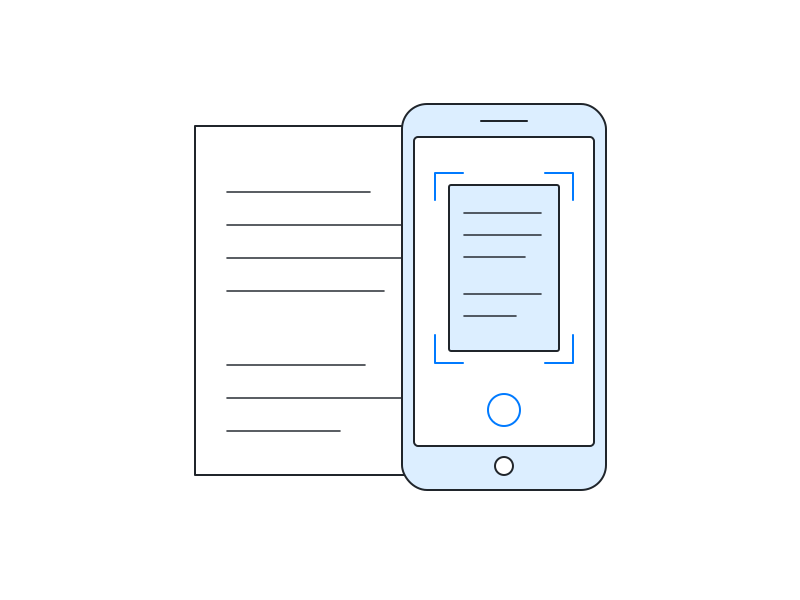
Capture paper documents for an approved purpose
Capture approved documents directly into the Safe without storing them in the general photo library.
A protected supplementary space when your organisation permits it
SimpleumSafe can encrypt selected files locally and optionally synchronise configured devices. It does not replace the primary care record, an organisation’s information system, a patient or resident record, team workflows, approvals or formal handovers.
Use work data only on devices, apps, storage locations and transfer methods approved by your organisation or controller. Roles, access, cover arrangements, device management, documentation, retention and deletion remain part of the organisation-wide process.
Health data requires more than an encrypted file
Health data is special category data under Article 9 GDPR and requires a valid legal basis for processing. Article 32 requires risk-appropriate technical and organisational measures and names encryption as one possible measure. A single app does not make a care process GDPR-compliant.5
Personal or individually configured storage may be prohibited or unsuitable in an institutional setting. Use SimpleumSafe there only with explicit approval and a defined route back into the primary record.
Data protection and security in detail
What can encrypted storage contribute, and what must the organisation still control? Open the topic you would like to explore. The legal references below concern the EU GDPR.
Encrypt files and file names
Manage access and responsibilities together
A Safe opens with its password or, where supported and configured, biometric authentication. Device and Safe protection need to match the organisation's roles, permissions and cover arrangements.
A shared, unlocked or compromised device can expose readable content. Personal storage must not make information unavailable to authorised colleagues when care requires access.15
Check stored data technically
The integrity checker examines the Safe's internal structure and can also check whether files can be read and decrypted.
It does not confirm the clinical accuracy, completeness or timeliness of care records and does not replace checks or approvals in the organisation's system.2
Integrate backup and emergency access
Safes should be backed up regularly and independently of the working device. Files remain encrypted in a complete Safe backup. Recovery and emergency access need to be tested and assigned within the organisation.
A recovery password can reset a forgotten Safe password. It is not a backup and must be kept within the approved protection process.1
Report loss through the approved incident route
Report lost devices, files or credentials immediately through the internal process. Effective encryption can reduce risk; whether key material or an unlocked device is affected matters too.
Communication to individuals and notification to the authority depend on the specific risk and Articles 33 and 34 GDPR. Informing everyone is not automatically required in every case; the controller's incident process must make and document the assessment.5
Synchronise only through approved routes
SimpleumSafe can be used locally without a cloud and can optionally synchronise configured devices in encrypted form. Organisations must use only approved configurations, accounts, devices and storage locations.
Synchronisation propagates deletions and unwanted changes and is not a backup. Cloud contracts and data protection requirements require separate assessment; encryption does not automatically remove the need for a required data processing agreement.36
Create images only for an approved purpose
The camera in SimpleumSafe for iOS can save paper documents or approved supplementary images directly in the Safe without putting them in the general photo library.4
Images of people, wounds, homes or documents may disclose highly sensitive information. Capture them only after purpose, legal basis, information or consent requirements and the documentation route have been established.5
Return files to the primary record
After import, an original may remain at its previous location. Email attachments, downloads or files in the organisation's system are not retroactively protected.
Editing, exporting and sharing can create readable copies outside the Safe. Every approved use therefore needs a defined route for required information to enter the primary care record promptly and for supplementary copies to be handled under organisational policy.45
Sources and product documentation
- SimpleumSafe: Security and Encryption method – access, file information, backups and recovery passwords.
- SimpleumSafe: Integrity checker – scope and additional options.
- SimpleumSafe: Extreme secure synchronisation – device synchronisation and limitations.
- How SimpleumSafe works and Take photos directly into the Safe.
- GDPR, particularly Articles 5, 9, 28 and 32–34.
- EDPB Guidelines 07/2020, “Hosting services” example, p. 16 – storing encrypted data on behalf of a controller.
Selected files in an approved encrypted space
Does your organisation permit supplementary encrypted file storage on Apple devices? Explore SimpleumSafe’s features and assess suitable provision with the responsible team.
What you can do with SimpleumSafe
Learn more about the features and protection for your files on Mac, iPhone and iPad.