SimpleumSafe for authors and writers
Protect unpublished writing.From research to submission.
Keep manuscripts, research material, interviews, contracts and unpublished drafts encrypted on Mac, iPhone and iPad.

Unpublished writing needs a dependable place
Manuscript versions, research material, interview recordings, contracts and correspondence quickly spread across devices and folders. They may contain personal details, confidential statements or ideas that have not yet been published.
SimpleumSafe provides a separate encrypted space for selected files on Mac, iPhone and iPad. Organise documents by work or project and separate sensitive material from general file storage.
Everyday tasks
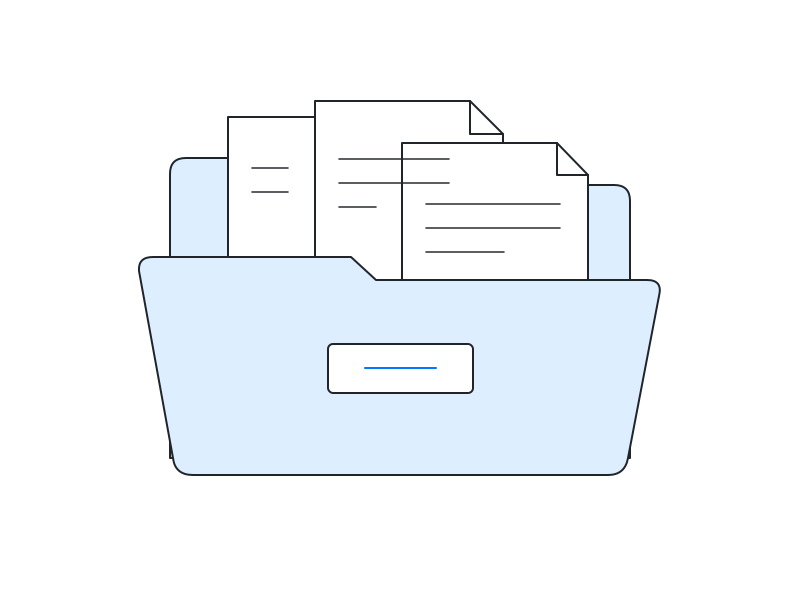
Organise manuscripts by project
Keep drafts, research documents and contracts together for each work. File names stored in the Safe remain encrypted too.
Keep interview material traceable
Assign transcripts, audio recordings, consent records and supporting documents to the relevant research or book project.
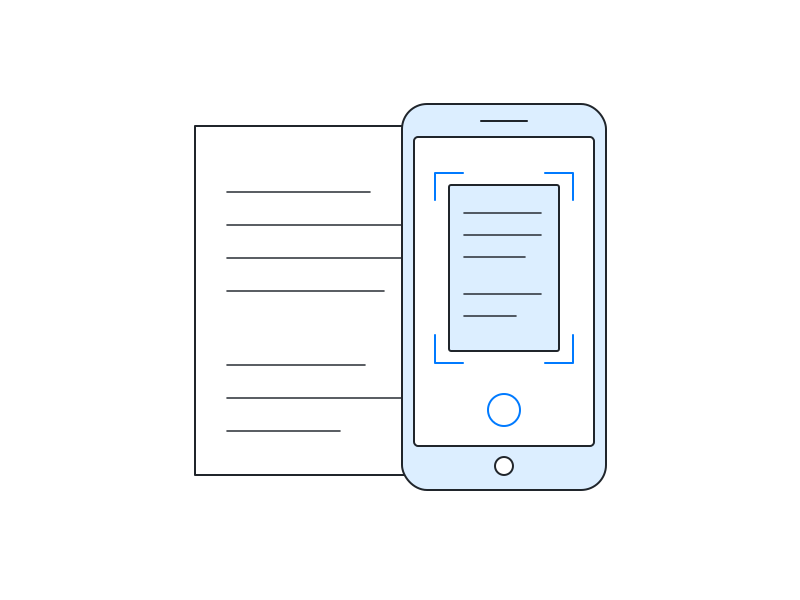
Capture documents directly
Photograph paper documents directly from the iPhone app and store them in the Safe without first saving them to the general photo library.
A protected space alongside writing and editorial tools
SimpleumSafe supplements your writing process with an encrypted space for selected manuscripts, research, interviews and contracts. No cloud is required for local use; encrypted synchronisation between your own configured devices is optional.
SimpleumSafe is not a writing application, editorial system or collaboration service. Editing, version comparison, shared comments, approval, publication and the authoritative manuscript remain in the tools and processes intended for them. You also still need independent backups of your Safes and files outside them.
Keep protection, evidence and rights distinct
Encryption protects stored files against unauthorised access. It does not prove authorship, the contents of a particular version or its publication date. Whether a text qualifies for copyright protection depends on the statutory requirements; contracts and rights assignments need separate management.7
Data protection and security in detail
How does SimpleumSafe protect selected writing and research files, and what still needs attention in your workflow? Open the topic you would like to explore. The legal references concern the EU GDPR and German copyright law.
Encrypt manuscripts and file names
SimpleumSafe protects file contents and associated information, such as file names, using AES-256. With a closed Safe, the file list does not reveal which people, working titles or projects it contains. Multiple Safes can help separate projects or professional and private material.1
Protect access to unpublished material
You open your Safe with its password or, where supported and configured, biometric authentication. A strong unique password and up-to-date, protected devices belong together.
Readable content may be accessible on an unlocked or compromised device. You should also decide who may receive interview material, draft contracts or unpublished writing.1
Check stored files for errors
The integrity checker examines the Safe's internal structure and its references to stored file data. Additional options can test whether files can be read and decrypted.
The result relates to the areas checked. It does not confirm that a manuscript version is complete or authoritative, nor prove authorship or publication time. It also does not replace version control or a backup.2
Back up drafts and Safes independently
Back up your Safes regularly and separately from the working device, and test that you can restore them. Manuscripts, audio recordings and source material outside the Safe need their own backup within your workflow.
Create a recovery password in good time and keep it securely away from the device. It can reset a forgotten Safe password, but it is not a backup and cannot restore deleted versions.1
Assess loss or theft in context
If a device or Safe copy is stolen, effective encryption can prevent unauthorised people from reading its contents. The assessment must also consider whether credentials, key material, exported files or an unlocked device were affected.
Whether notification or communication is required depends on the specific risk and the conditions in GDPR Articles 33 and 34. Article 34(3)(a) can provide an exception from communication where effective measures render data unintelligible, but the incident must still be assessed and documented separately.5
Synchronise your own devices securely
SimpleumSafe can be used locally without a cloud. You can optionally synchronise encrypted changes between configured Apple devices through iCloud or directly between devices; a shared folder is also possible between Macs. Each configured device has its own local Safe.
Normal synchronisation data does not include the separate Safe key file. The protection needs a different assessment if setup information, key material or a configured device is also compromised. Synchronisation propagates deletions too and replaces neither a backup nor version control.
When cloud services are used, contractual arrangements and data protection requirements still require separate assessment. Encryption does not automatically remove the need for a data processing agreement where one is required.36
Organise interviews and research material
Keep transcripts, audio recordings, consent records and supporting documents with the relevant project. You can capture paper documents using the camera in SimpleumSafe for iOS and save them directly in the Safe without first placing them in the general photo library.4
Encrypted storage does not replace deciding the basis for processing personal data, who may receive the material, and when it should be deleted or anonymised. Additional requirements may apply to special categories of personal data.5
Keep versions, editing and export in view
Importing brings a file into the Safe. Depending on the method and settings, the original may remain in a documents folder, email account or editorial system. Importing does not retroactively protect those copies.
A file must temporarily be readable for editing. On Mac, SimpleumSafe can provide a working copy in a protected temporary area; writing and collaboration applications may create versions or cloud copies of their own. Exporting or sharing creates a decrypted copy outside the Safe. Decide which version is authoritative and how it reaches a publisher, editor or contributor.4
Sources and product documentation
- SimpleumSafe: Security and Encryption method – access, file information, backups and recovery passwords.
- SimpleumSafe: Integrity checker – scope and additional options.
- SimpleumSafe: Extreme secure synchronisation – device synchronisation, key material and limitations.
- How SimpleumSafe works and Take photos directly into the Safe.
- GDPR, particularly Articles 5, 6, 9 and 32–34.
- EDPB Guidelines 07/2020, “Hosting services” example, p. 16 – storing encrypted data on behalf of a controller.
- Section 2 of the German Copyright Act – literary and written works as potentially protected works, subject to the requirement of a personal intellectual creation (German).
Selected manuscripts and research files on your Apple devices
Would you like to keep unpublished drafts, interviews and contracts encrypted yourself? Explore SimpleumSafe’s features and find the right purchase option for Mac, iPhone or iPad.
What you can do with SimpleumSafe
Learn more about the features and protection for your files on Mac, iPhone and iPad.